
2CH Smart Light Switch Tuya,WiFi & RF Remote Control Module,USB 5V DC 12V 24V 48V,work with Alexa Google Home,for Lamp Fan Motor
1Receiver 3Remote
$26.47
Sale price
$26.47
Regular price
$0.00
Skip to product information



Technical parameter
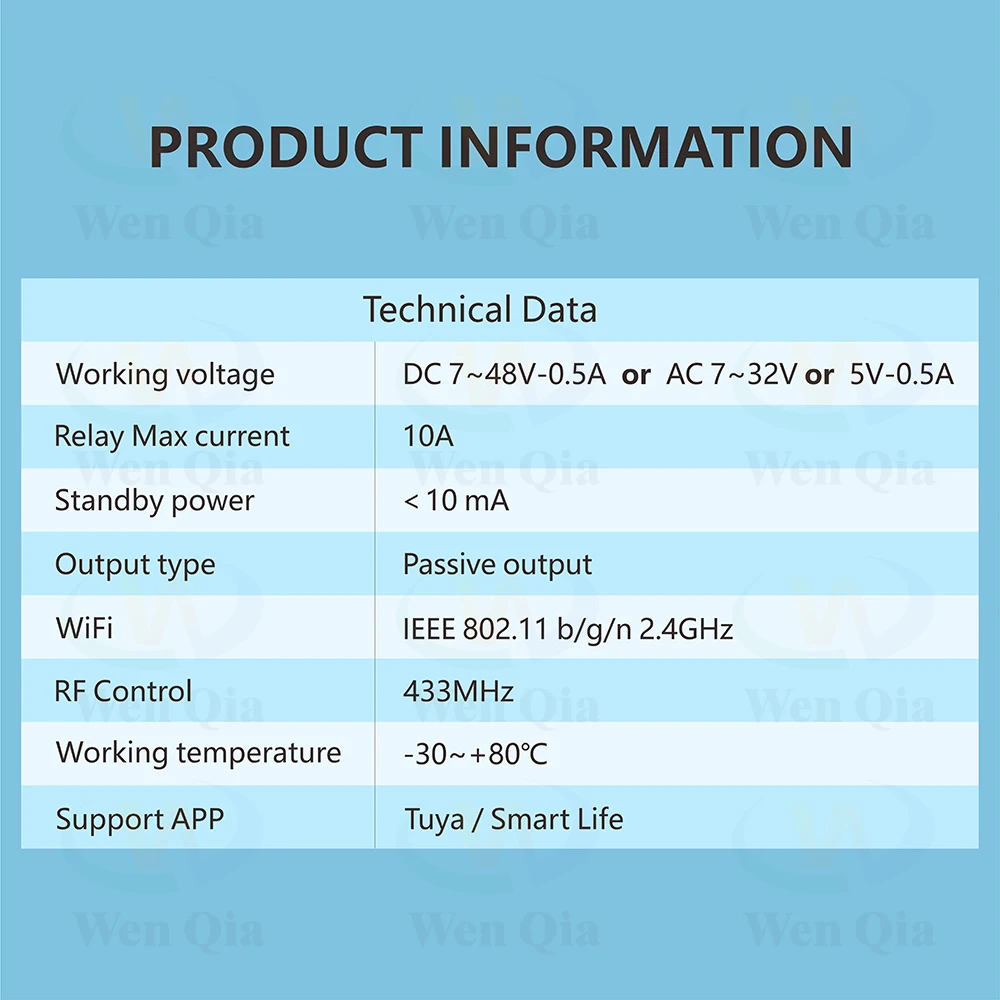
▶WiFi+RF receiver:
Channle: 2 channels
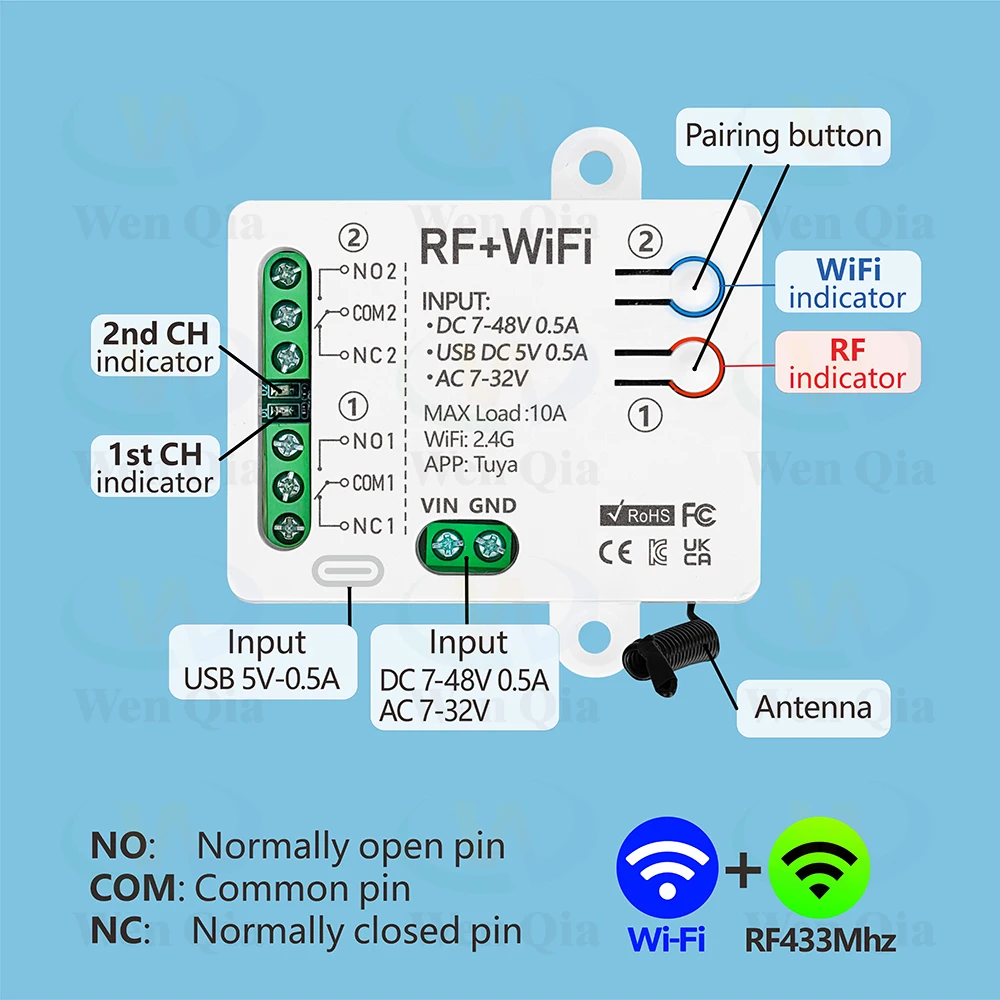
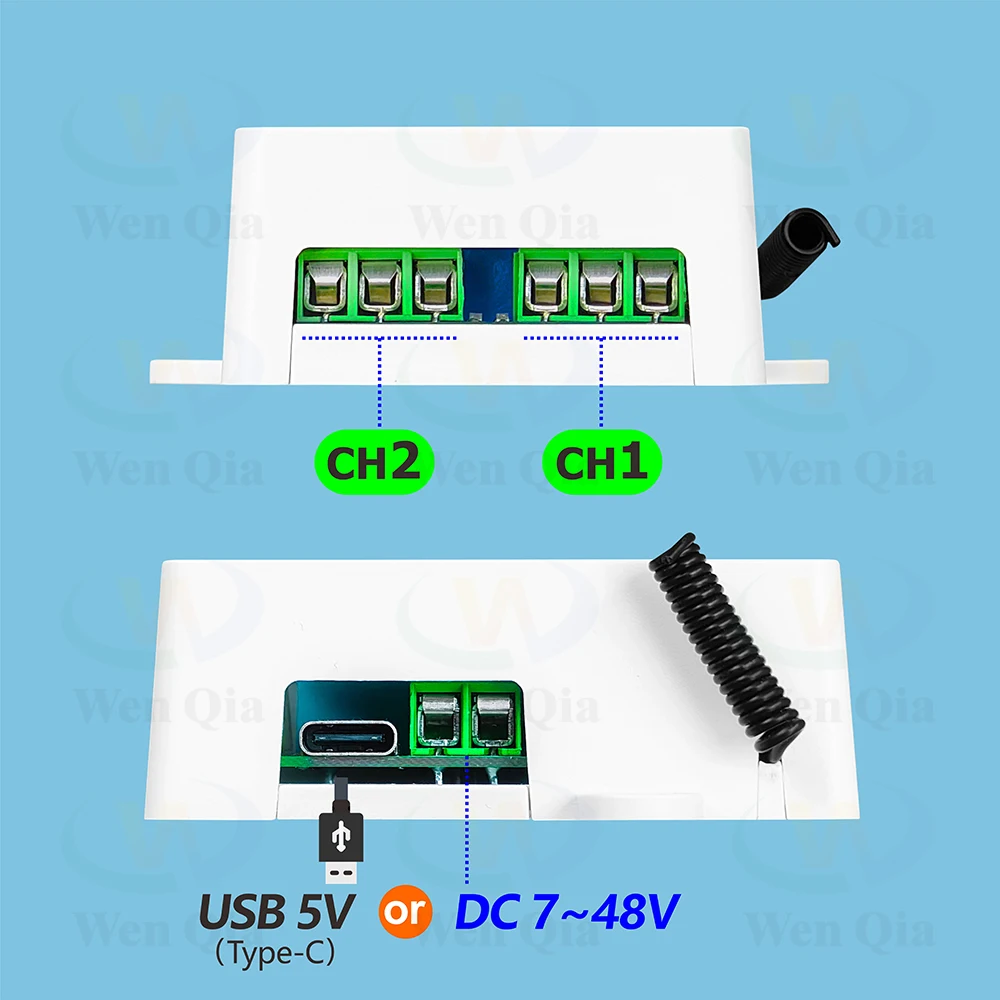
Voltage: USB Type-C 5V or DC 7-48V or AC 7-32V
Relay Max current: 10A
Standby power:<10 mA
Output type:Passive output 1-250V dry contact
WiFi:IEEE 802.11 b/g/n 2.4GHz
RF Control:433MHz
Working temperature:-30~+80℃
Support APP:Tuya / Smart Life
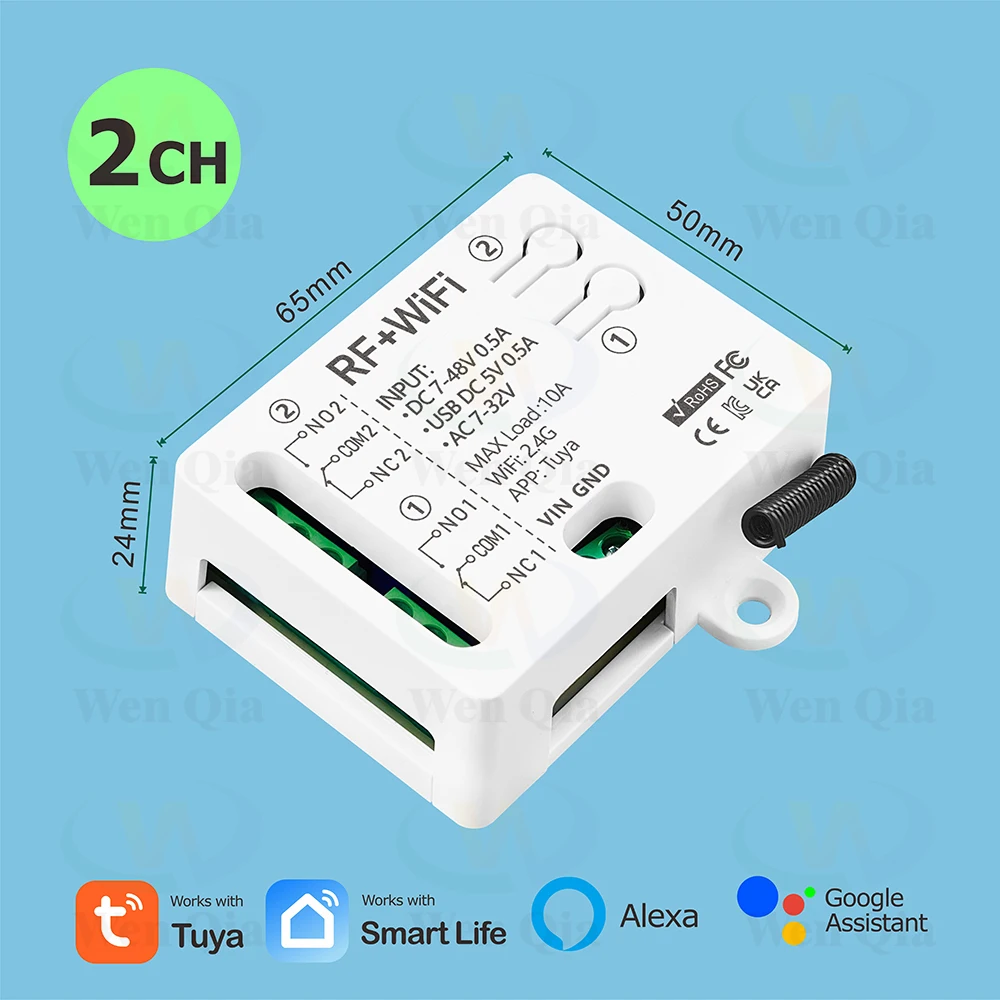
Size: 65*50*24 mm
▶RF433mhz Remote Control
Support encoding : 1527 Leaning code
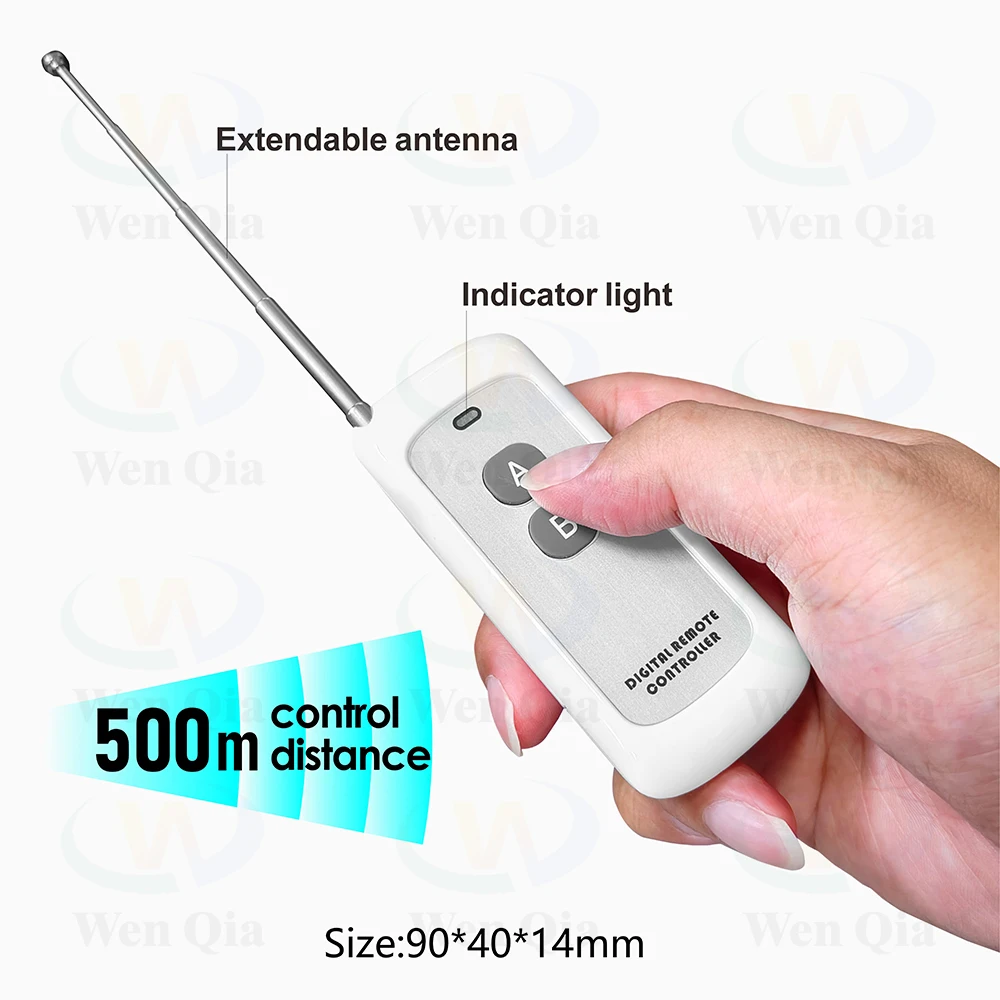
Remote distance : up to 500m (theoretical distance)
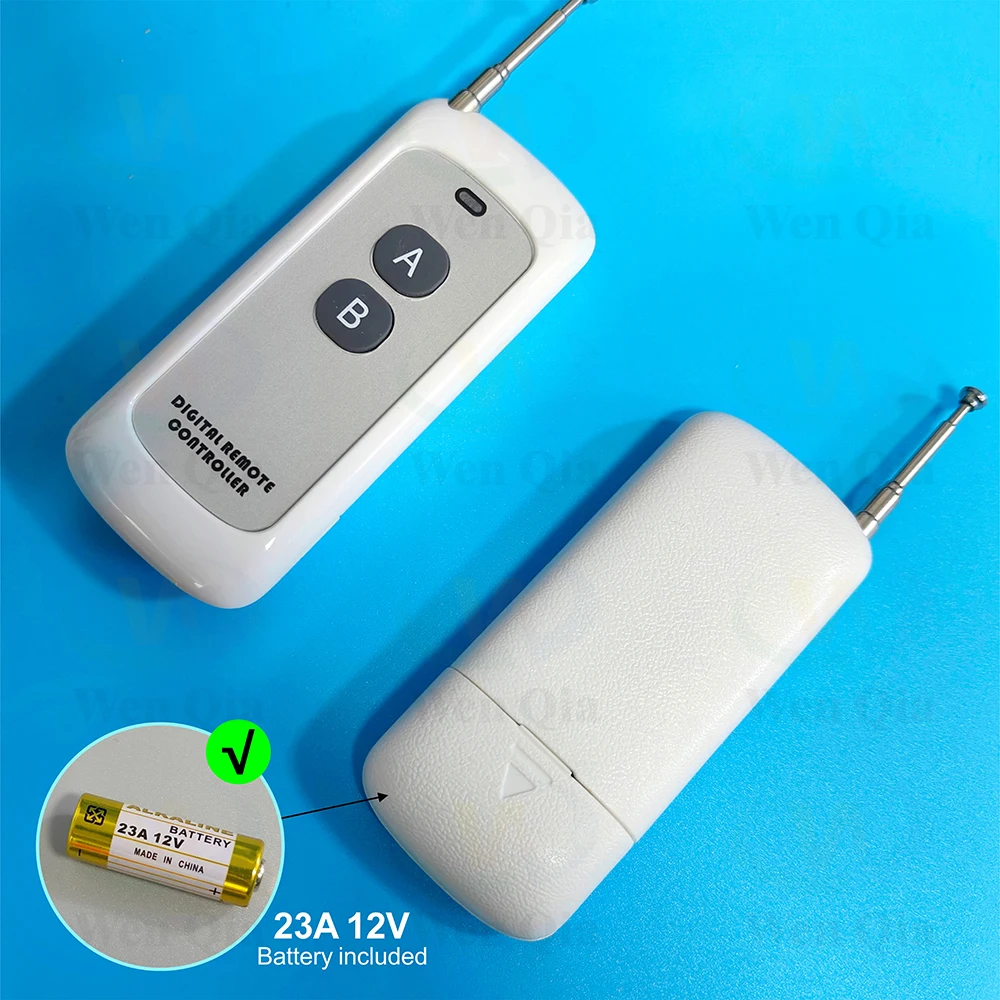
Battery : 23A 12V (included)
RF frequency : 433MHz
Size :90*40*14 mm
Modulation : ASK
Advantages
▶1~250V 2-Channels Dry Contact Relay
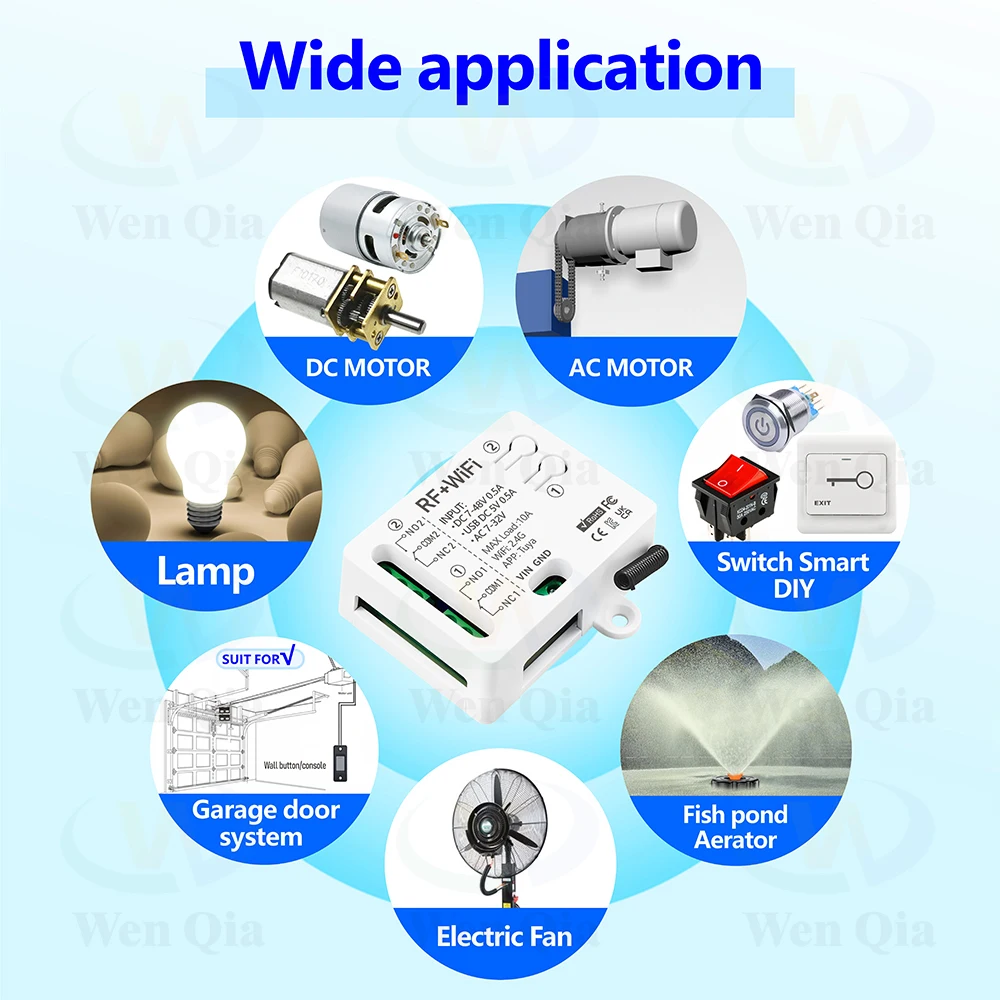
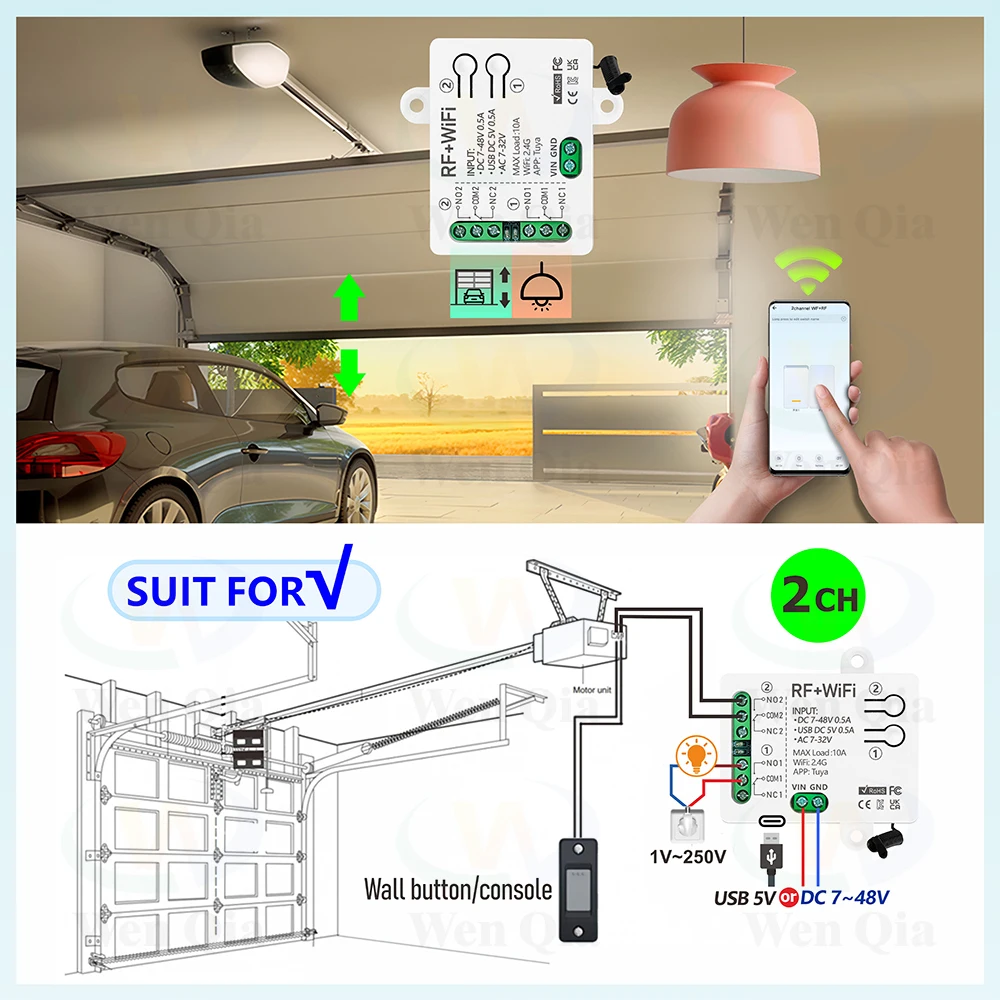
•Wide range of applications, can be used to connect lights/DC and AC motors/garage door systems, etc.
•2-channel design, each channel can independently control a light or a direction of the motor.
▶WiFi and RF control
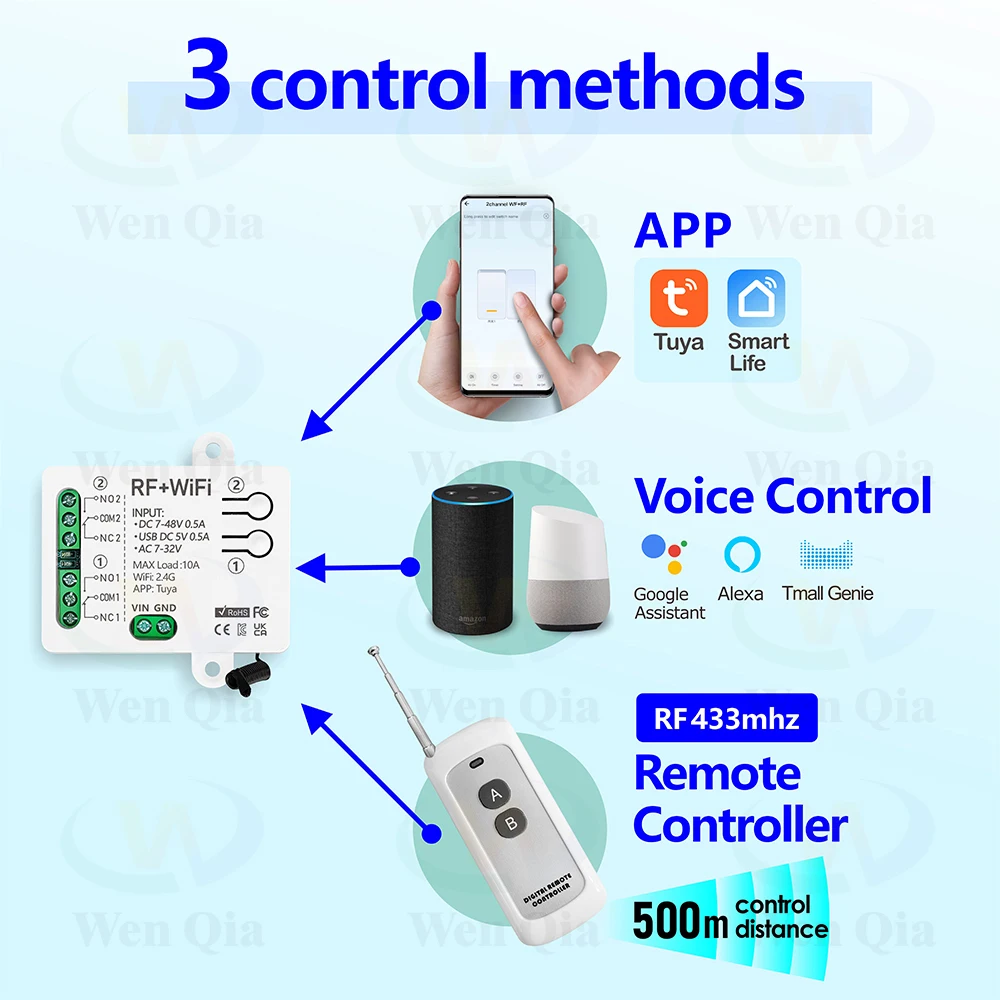
It supports 3 control methods:
•Tuya or Smart life APP control
•RF433MHZ remote controller
•Voice control.
▶3 input power modes
USB Type-C 5V or DC 7-48V or AC 7-32V power supply are available
▶Make any device an Internet device
•It can be used to transform button switches or remote controls to turn the device into an Internet device and achieve intelligence.
▶APP control:
After pairing with the APP, you can control this switch (wifi function) on the Tuya/Smart life APP anytime and anywhere
▶RF433MHZ remote controller:
The receiver supports RF433MHZ remote controller control, and the control range can reach 500m in open areas.
▶Voice control:
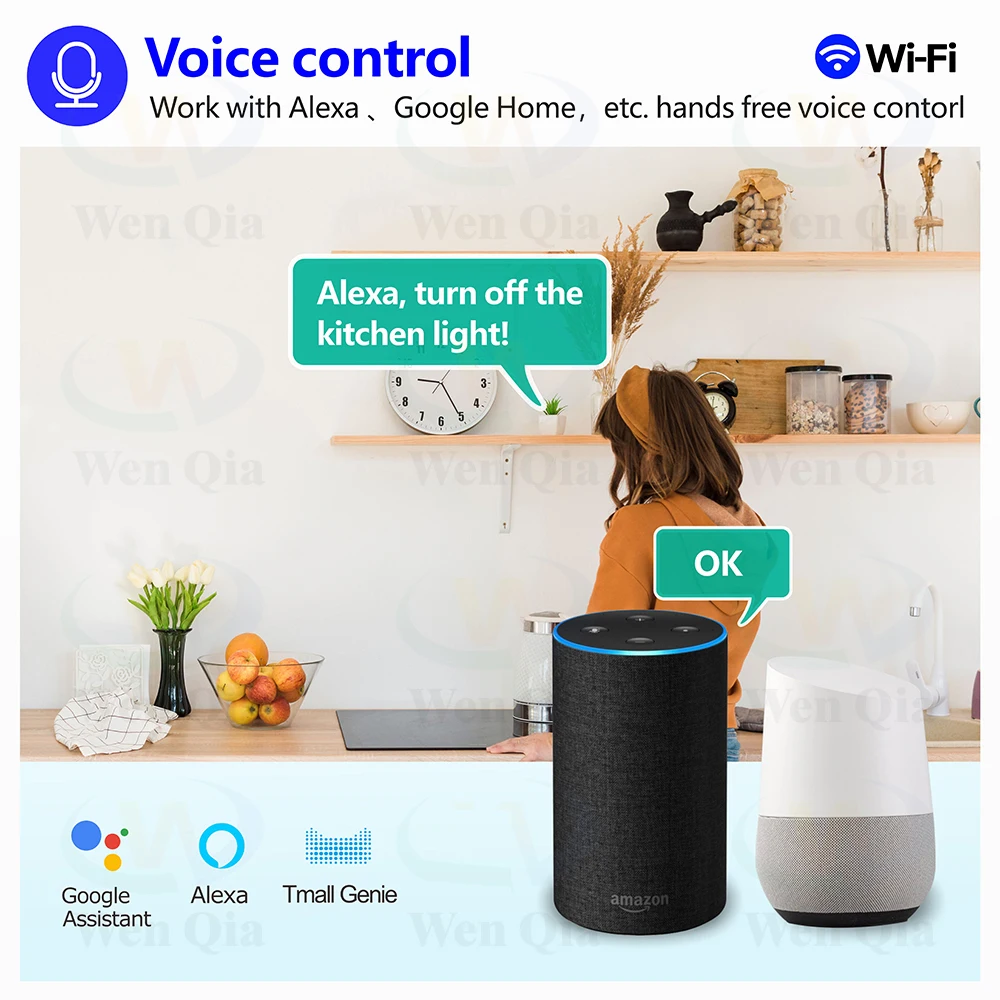
Works with Alexa, Google home,etc. and can be controlled by voice.
▶Timing function:
You can set timers/countdowns/schedules or create usage scenarios, for example you can set lights to automatically turn on at dusk and turn off at dawn.
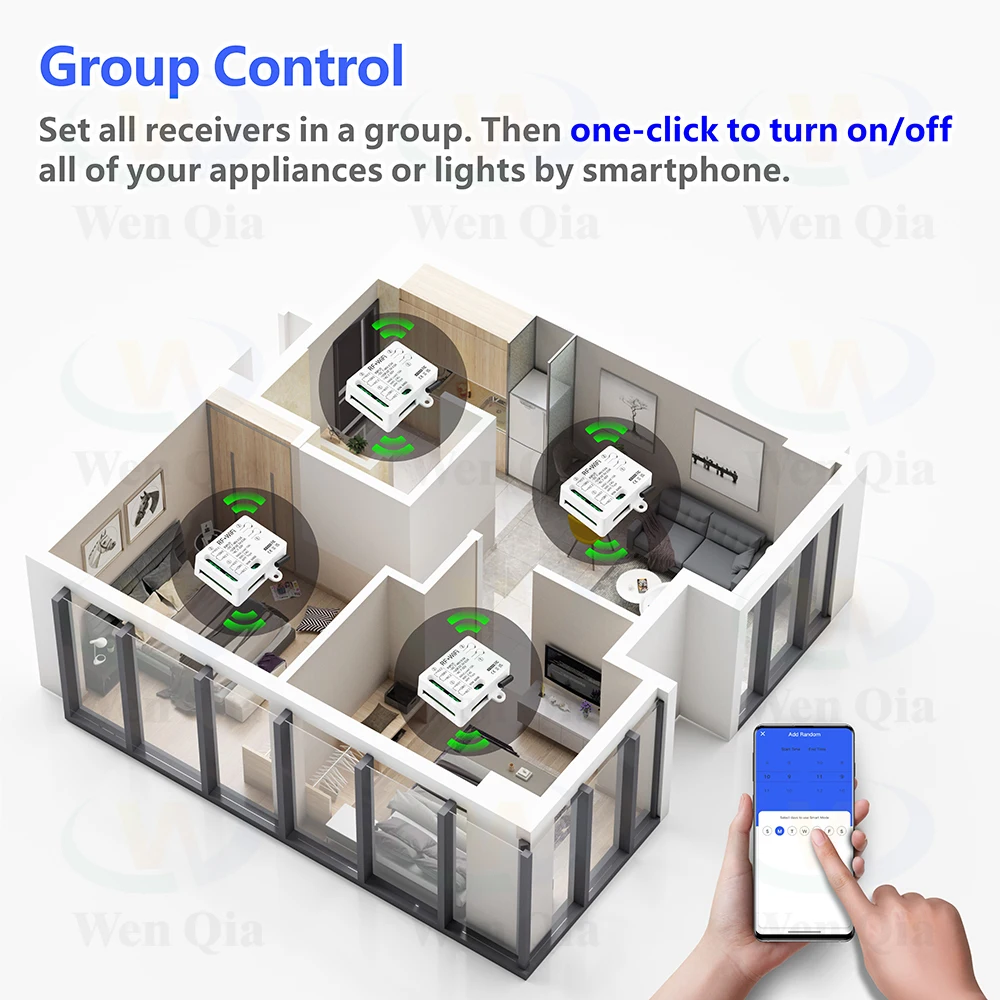
▶Group control:
For example, all smart lamps can be set as a group and turned off with one click. One smart switch can be controlled by multiple mobile phones. Share it with your family and make it easy for everyone to control. Great for hard-to-reach lights without a switch.
Details description
•Wide range of applications, can be used to connect lights/DC and AC motors/garage door systems, etc.
WiFi and RF control
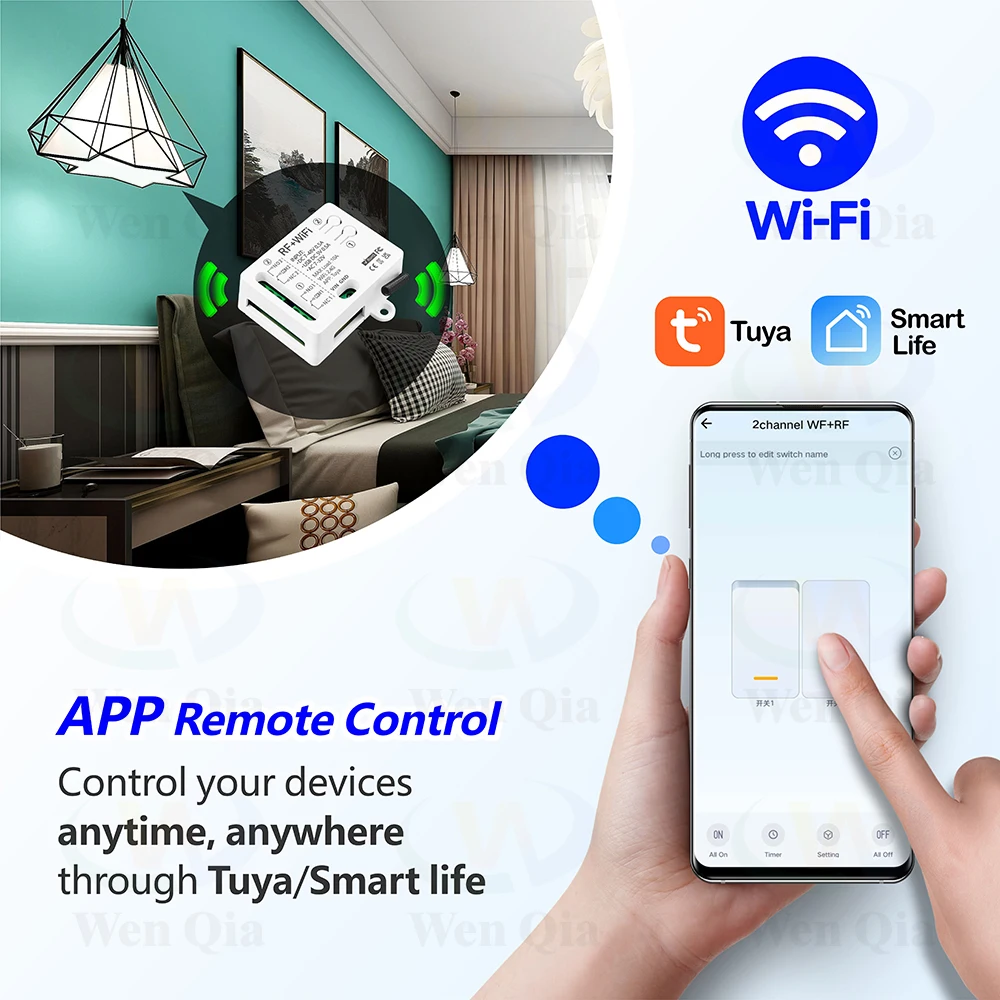
APP control:
After pairing with the APP, you can control this switch (wifi function) on the Tuya/Smart life APP anytime and anywhere
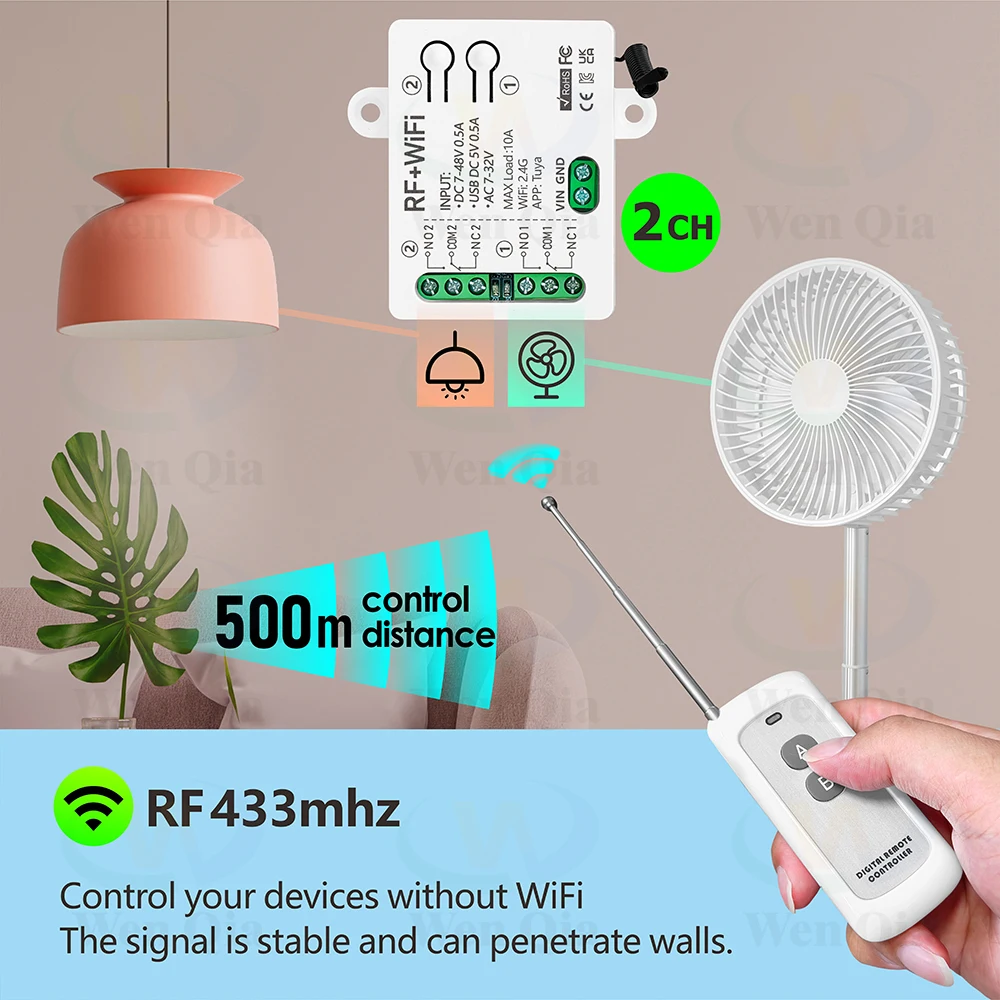
RF433MHZ remote controller:
The receiver supports RF433MHZ remote controller control, and the control range can reach 500m in open areas.
●Voice control:
Works with Alexa, Google home, etc. and can be controlled by voice.
Timing function:
You can set timers/countdowns/schedules or create usage scenarios, for example you can set lights to automatically turn on at dusk and turn off at dawn.
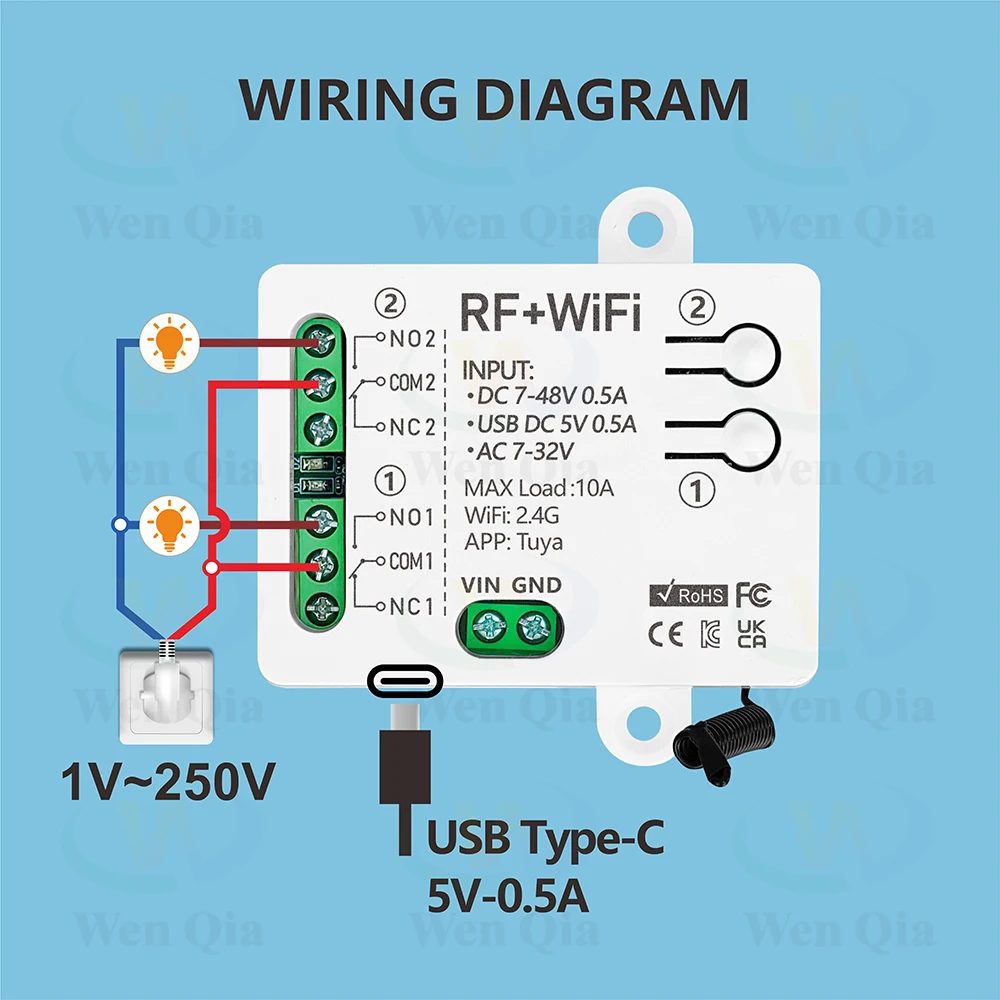
Wiring
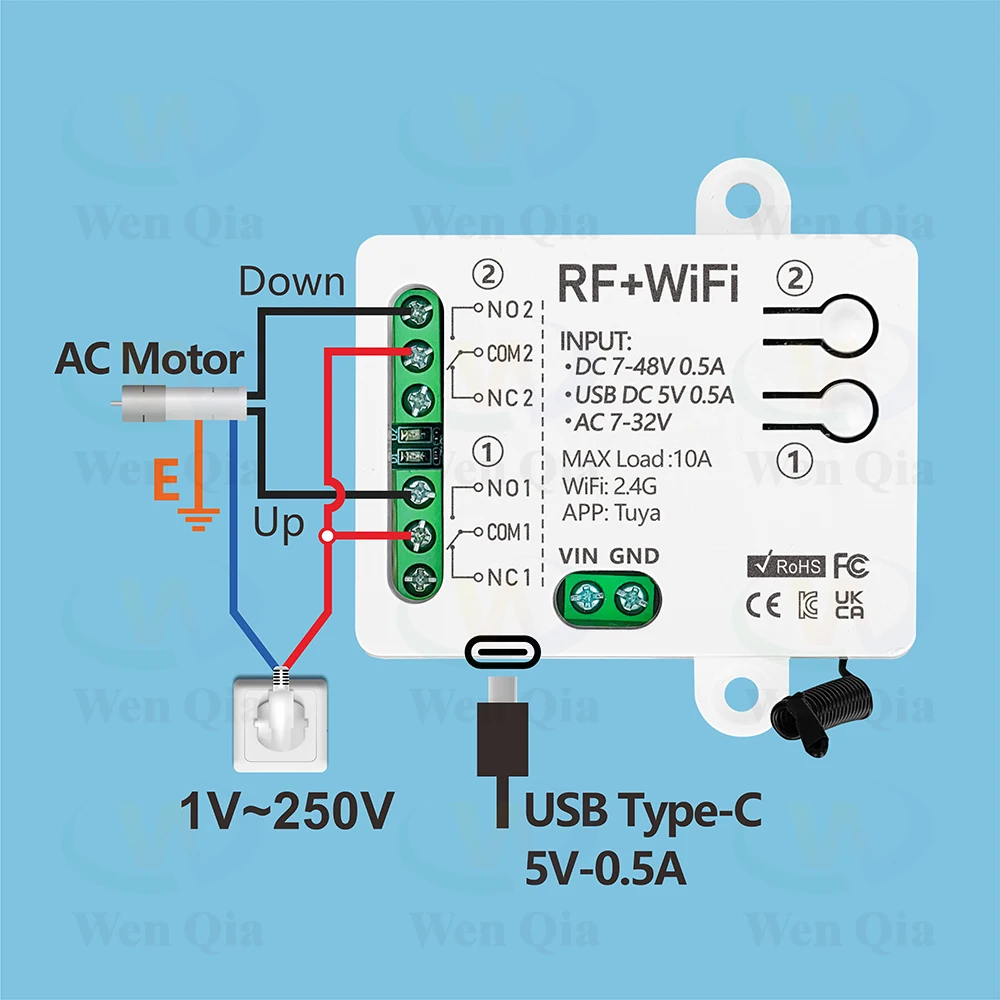
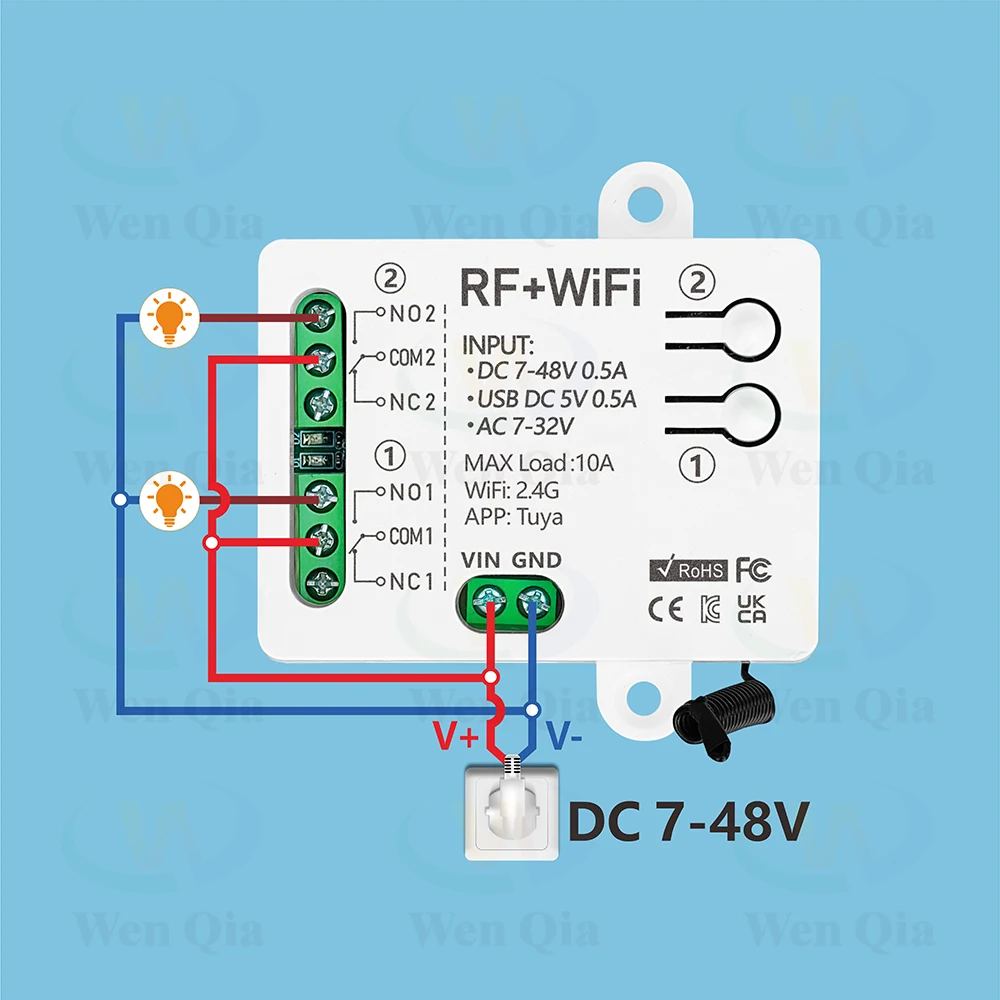
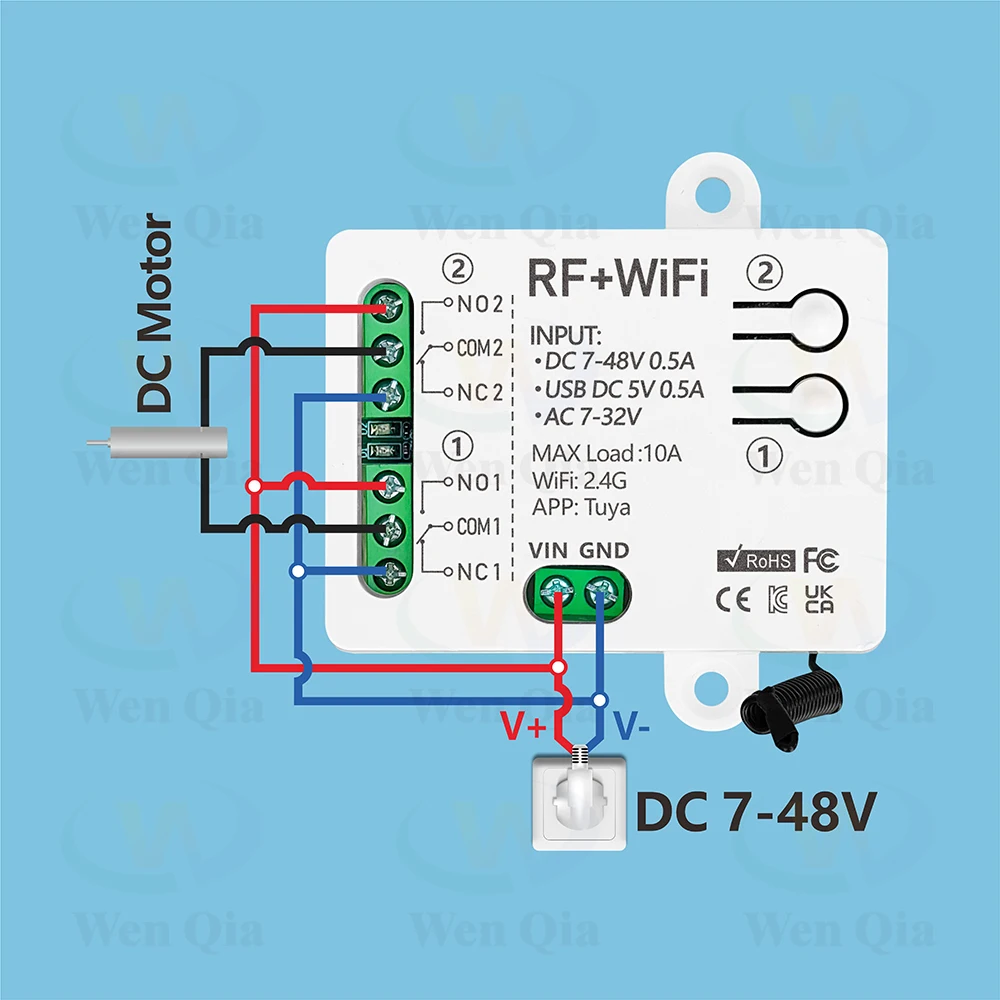
Troubleshooting (FAQ)
Q: After the device is successfully added, why does App display that it's offline and can't be controlled?
A: After the device is added successfully, it needs 1-2 minutes to connect the network. If it is still not online after a long time, please check Wi-Fi indicator to determine device status:
Blue indicator LED keep off,it means that the device is connected to WiFi ,but not connected to the internet
①Maybe entered incorrect Wi-Fi password.
②Each router has a maximum Wi-Fi loading quantity, please do not exceed the maximum loading quantity of the router, otherwise it will cause the Wi-Fi device to drop.
③It may be that the device is too far away from your router, the signal is too weak, or the environment has interference. Please put the device close to the router first, if there is no improvement, please cut off the power and re-add.
④The device cannot recognize 5G Wi-Fi, please select 2.4G Wi-Fi to re-add it.
⑤Make sure Mac address filtering is not enabled in your router settings.please enter the router settings to turn the Mac address filtering off.
⑥ Please confirm whether your WiFi connection network is stable and normal. lf the network is normal, please power off and restart device.


2CH Smart Light Switch Tuya,WiFi & RF Remote Control Module,USB 5V DC 12V 24V 48V,work with Alexa Google Home,for Lamp Fan Motor
$26.47
Sale price
$26.47
Regular price
$0.00
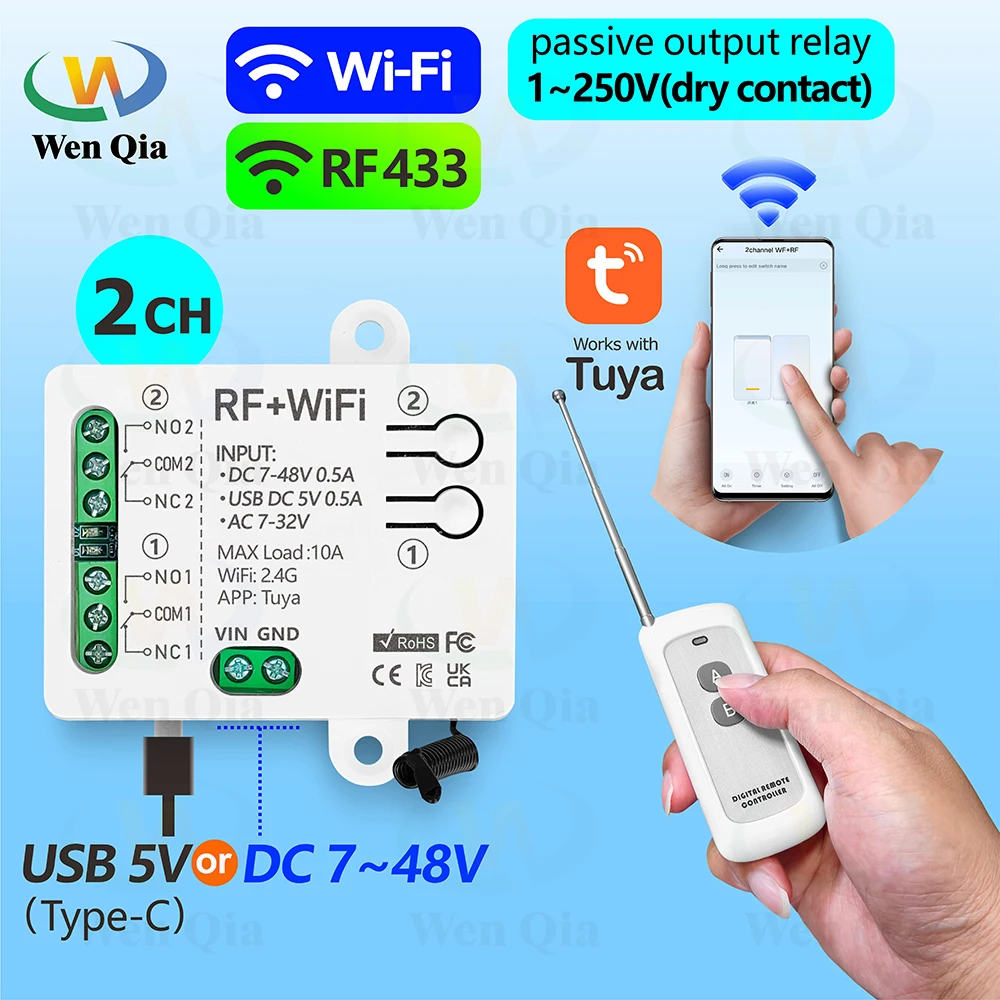
2CH Smart Light Switch Tuya,WiFi & RF Wireless Remote Control Module,USB 5V DC 12V 24V 48V,1-250V Dry Contact Relay,work with Alexa Google Home,for Lamp/Motor/Garage door system/Switch DIY.....
Technical parameter
▶WiFi+RF receiver:
Channle: 2 channels
Voltage: USB Type-C 5V or DC 7-48V or AC 7-32V
Relay Max current: 10A
Standby power:<10 mA
Output type:Passive output 1-250V dry contact
WiFi:IEEE 802.11 b/g/n 2.4GHz
RF Control:433MHz
Working temperature:-30~+80℃
Support APP:Tuya / Smart Life
Size: 65*50*24 mm
▶RF433mhz Remote Control
Support encoding : 1527 Leaning code
Remote distance : up to 500m (theoretical distance)
Battery : 23A 12V (included)
RF frequency : 433MHz
Size :90*40*14 mm
Modulation : ASK
Advantages
▶1~250V 2-Channels Dry Contact Relay
•Wide range of applications, can be used to connect lights/DC and AC motors/garage door systems, etc.
•2-channel design, each channel can independently control a light or a direction of the motor.
▶WiFi and RF control
It supports 3 control methods:
•Tuya or Smart life APP control
•RF433MHZ remote controller
•Voice control.
▶3 input power modes
USB Type-C 5V or DC 7-48V or AC 7-32V power supply are available
▶Make any device an Internet device
•It can be used to transform button switches or remote controls to turn the device into an Internet device and achieve intelligence.
▶APP control:
After pairing with the APP, you can control this switch (wifi function) on the Tuya/Smart life APP anytime and anywhere
▶RF433MHZ remote controller:
The receiver supports RF433MHZ remote controller control, and the control range can reach 500m in open areas.
▶Voice control:
Works with Alexa, Google home,etc. and can be controlled by voice.
▶Timing function:
You can set timers/countdowns/schedules or create usage scenarios, for example you can set lights to automatically turn on at dusk and turn off at dawn.
▶Group control:
For example, all smart lamps can be set as a group and turned off with one click. One smart switch can be controlled by multiple mobile phones. Share it with your family and make it easy for everyone to control. Great for hard-to-reach lights without a switch.
Details description
•Wide range of applications, can be used to connect lights/DC and AC motors/garage door systems, etc.
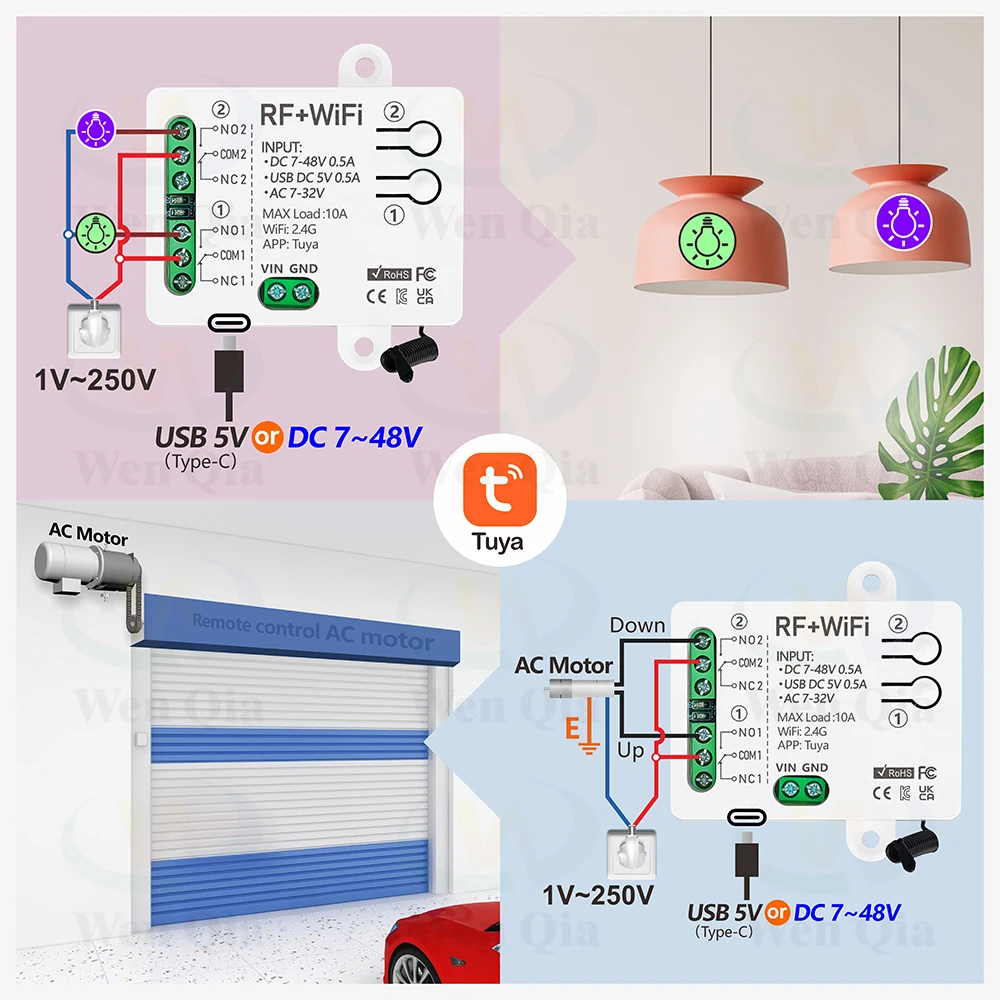
•It can be used to transform button switches or remote controls to turn the device into an Internet device and achieve intelligence.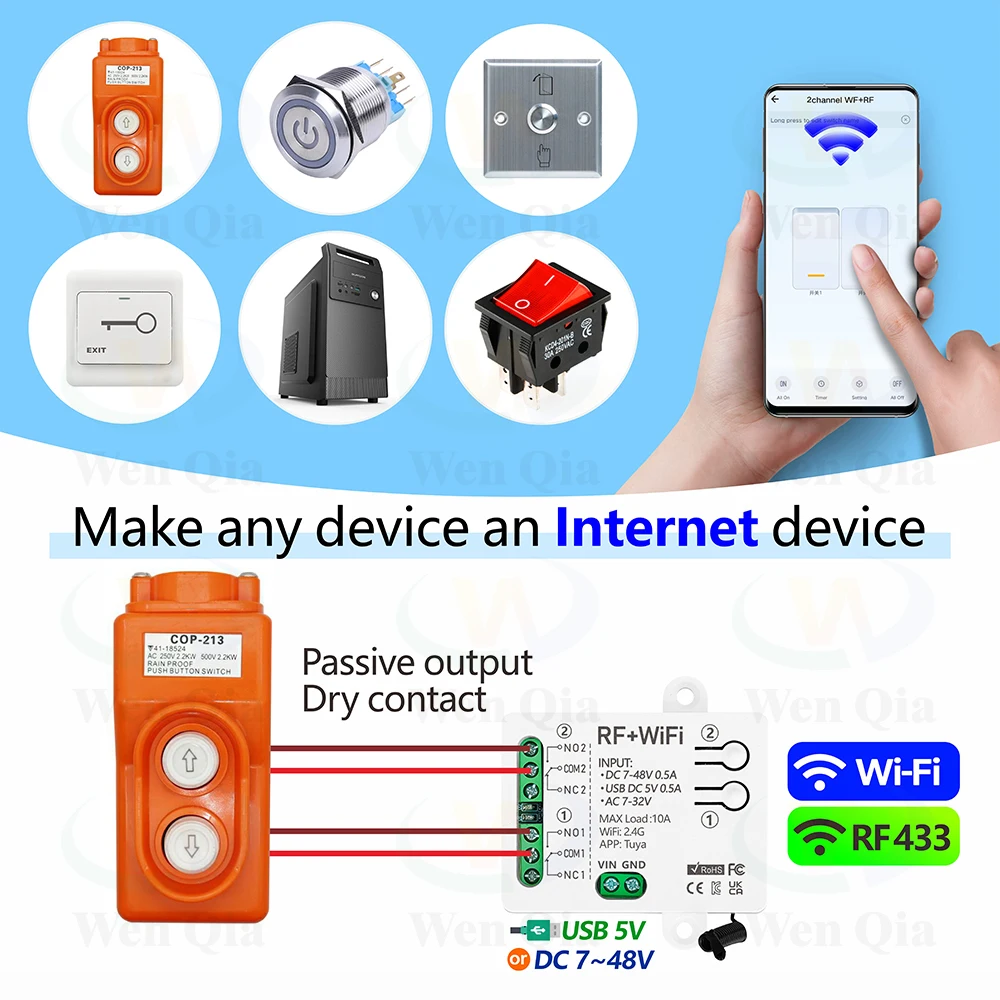
WiFi and RF control
APP control:
After pairing with the APP, you can control this switch (wifi function) on the Tuya/Smart life APP anytime and anywhere
RF433MHZ remote controller:
The receiver supports RF433MHZ remote controller control, and the control range can reach 500m in open areas.
●Voice control:
Works with Alexa, Google home, etc. and can be controlled by voice.
Timing function:
You can set timers/countdowns/schedules or create usage scenarios, for example you can set lights to automatically turn on at dusk and turn off at dawn.
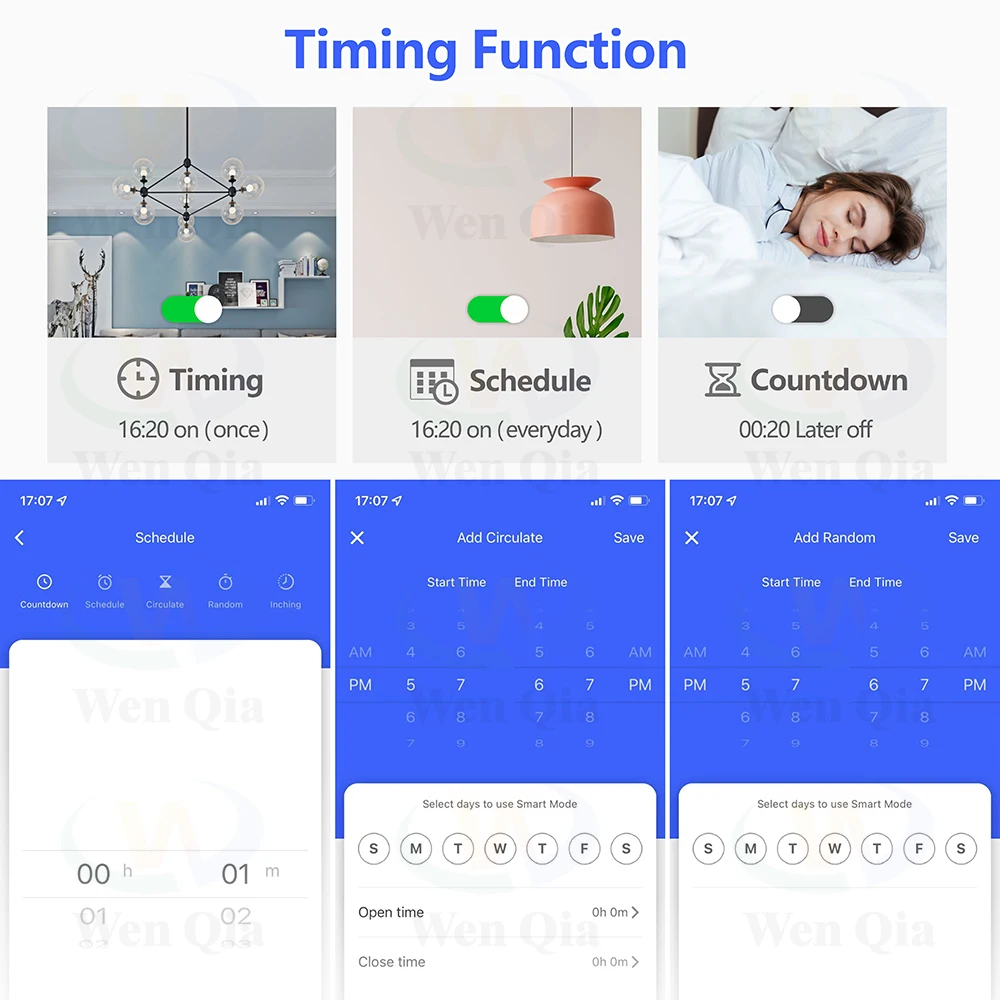
Group control:
For example, all smart lamps can be set as a group and turned off with one click. One smart switch can be controlled by multiple mobile phones. Share it with your family and make it easy for everyone to control. Great for hard-to-reach lights without a switch.
Wiring
How to use
●You need to connect with power and devices first.Download APP

●PAIRING with APP
①Your phone has been connected to 2.4GHzWi-Fi. And turn on the Bluetooth.
②The WiFi+RF module would automatic be in the 'Pairing Network state' .when the blue indicator LED flashing after power on. ( If no, please reset the device firstly. Pressing and hold the pairing button on the WiFi+RF module about 10 seconds until the blue indicator LED flashing. Which means the device is in the 'Pairing Network state' )
③Open "Tuya" APP.
④The "WiFi+RF" module icon will appear on the APP interface, and then operate according to the prompts on the APP interface. ( If no, click '+', Find "switch (WiFi) " icon in the"electrical"category.
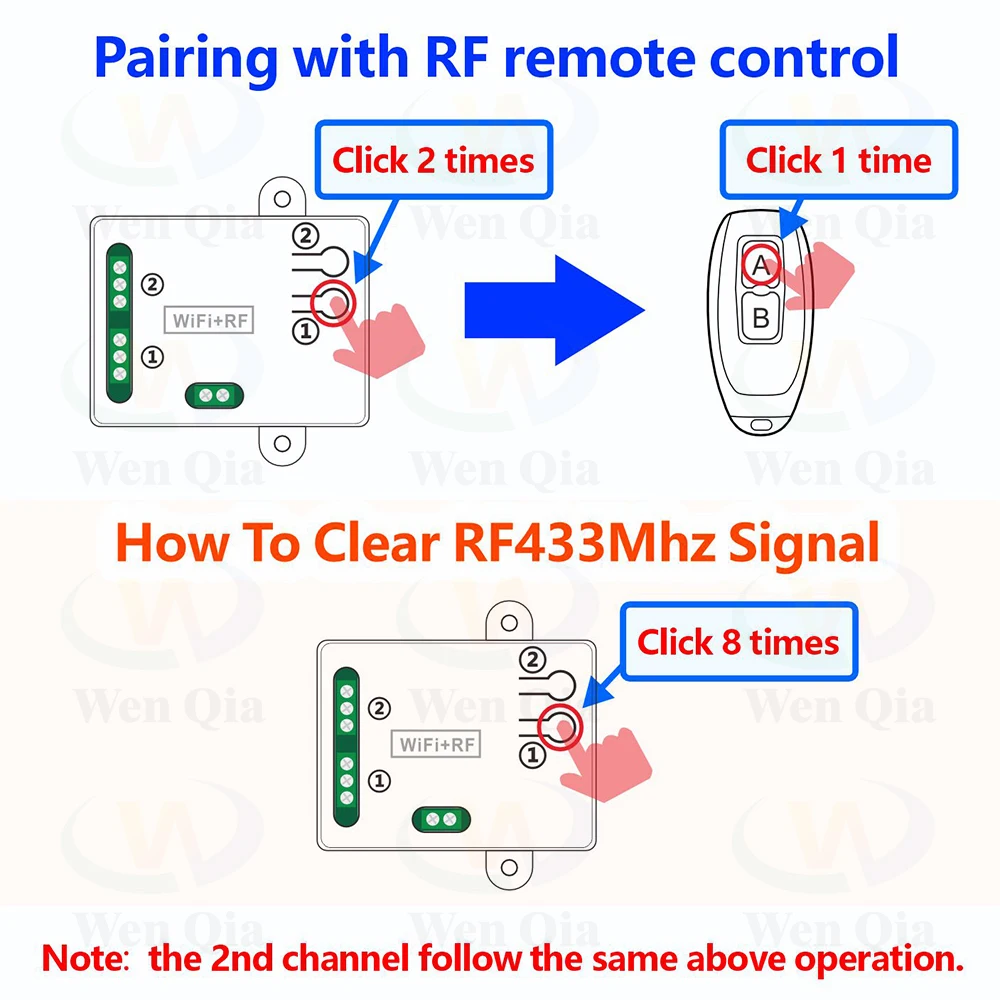
●Pairing with RF remote control
Step 1. Click the pairing button ① 2 times quickly, the red indicator will light up.
Step 2 .Press the button"A"on remote control ,the red indicator will flash several times and then turn off. So, button "A" can control 1st channel.
Note: the 2nd channel follow the same above operation.
●How to delete RF signal:
Press the pairing button "①" 8 times,After delete the signal, all relays will not be controllable by the remote control,
You need to pair the receiver with the remote control again before putting them into service.
ACCESS INTELLIGENT SPEAKER
About access Amazon echo, Google Home and so on, please refer to the instruction in APP.
●You need to connect with power and devices first.Download APP
●PAIRING with APP
①Your phone has been connected to 2.4GHzWi-Fi. And turn on the Bluetooth.
②The WiFi+RF module would automatic be in the 'Pairing Network state' .when the blue indicator LED flashing after power on. ( If no, please reset the device firstly. Pressing and hold the pairing button on the WiFi+RF module about 10 seconds until the blue indicator LED flashing. Which means the device is in the 'Pairing Network state' )
③Open "Tuya" APP.
④The "WiFi+RF" module icon will appear on the APP interface, and then operate according to the prompts on the APP interface. ( If no, click '+', Find "switch (WiFi) " icon in the"electrical"category.
●Pairing with RF remote control
Step 1. Click the pairing button ① 2 times quickly, the red indicator will light up.
Step 2 .Press the button"A"on remote control ,the red indicator will flash several times and then turn off. So, button "A" can control 1st channel.
Note: the 2nd channel follow the same above operation.
●How to delete RF signal:
Press the pairing button "①" 8 times,After delete the signal, all relays will not be controllable by the remote control,
You need to pair the receiver with the remote control again before putting them into service.
ACCESS INTELLIGENT SPEAKER
About access Amazon echo, Google Home and so on, please refer to the instruction in APP.
Troubleshooting (FAQ)
Q: After the device is successfully added, why does App display that it's offline and can't be controlled?
A: After the device is added successfully, it needs 1-2 minutes to connect the network. If it is still not online after a long time, please check Wi-Fi indicator to determine device status:
Blue indicator LED keep off,it means that the device is connected to WiFi ,but not connected to the internet
①Maybe entered incorrect Wi-Fi password.
②Each router has a maximum Wi-Fi loading quantity, please do not exceed the maximum loading quantity of the router, otherwise it will cause the Wi-Fi device to drop.
③It may be that the device is too far away from your router, the signal is too weak, or the environment has interference. Please put the device close to the router first, if there is no improvement, please cut off the power and re-add.
④The device cannot recognize 5G Wi-Fi, please select 2.4G Wi-Fi to re-add it.
⑤Make sure Mac address filtering is not enabled in your router settings.please enter the router settings to turn the Mac address filtering off.
⑥ Please confirm whether your WiFi connection network is stable and normal. lf the network is normal, please power off and restart device.
▶Please contact with us if you have any questions.Thank you.
▶We have own factory,if you want to do ODM OEM bussiness,please contact with us.


▶We have own factory,if you want to do ODM OEM bussiness,please contact with us.
Details
This product is crafted with quality materials to ensure durability and performance. Designed with your convenience in mind, it seamlessly fits into your everyday life.
Shipping & Returns
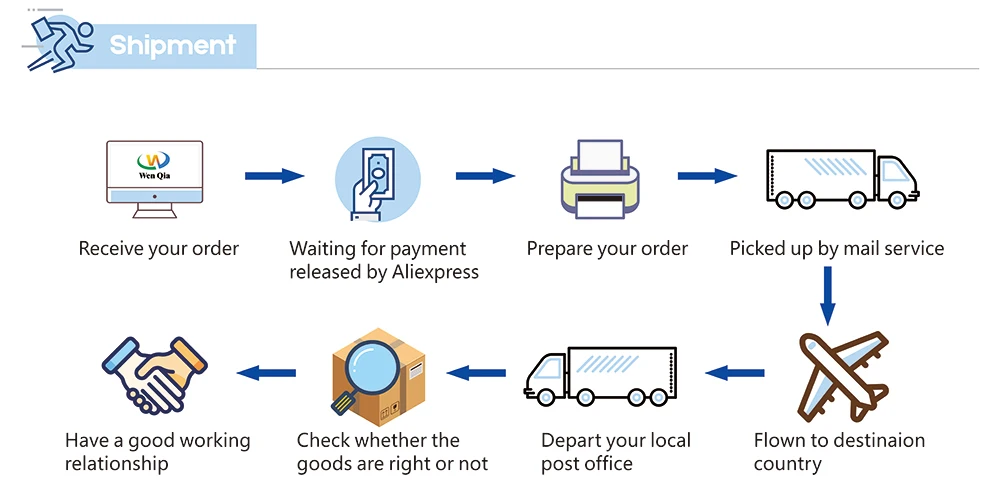
We strive to process and ship all orders in a timely manner, working diligently to ensure that your items are on their way to you as soon as possible.
We are committed to ensuring a positive shopping experience for all our customers. If for any reason you wish to return an item, we invite you to reach out to our team for assistance, and we will evaluate every return request with care and consideration.
Shop The Full Collection


