
Tasmota UK Smart Plug 16A 20A with WiFi Power Energy Monitor App Remote Control Timer Schedule Voice Control for Alexa Google
20A / UK Tasmota No M / UK|110-250V|China Mainland
$13.62
Sale price
$13.62
Regular price
$0.00
Skip to product information


Tasmota UK Smart Plug 16A 20A with WiFi Power Energy Monitor App Remote Control Timer Schedule Voice Control for Alexa Google
$13.62
Sale price
$13.62
Regular price
$0.00
Tasmota UK Smart Plug 16A 20A with WiFi Power Energy Monitor App Remote Control Timer Schedule Voice Control for Alexa Google
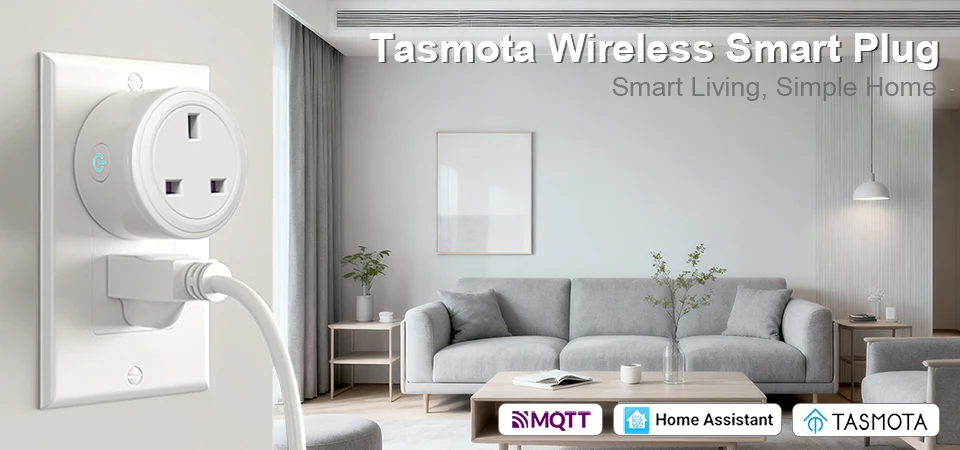
Welcome to Your Smarter, Safer Home
Tired of wondering if you left the iron on? Want to cut down on hidden energy costs and gain true control over your home appliances? Meet the BSD29 UK Smart Plug with Tasmota – the ultimate upgrade for your household. Designed specifically for UK sockets and built with robust safety features, this isn't just a plug; it's your personal home automation assistant and energy guardian.
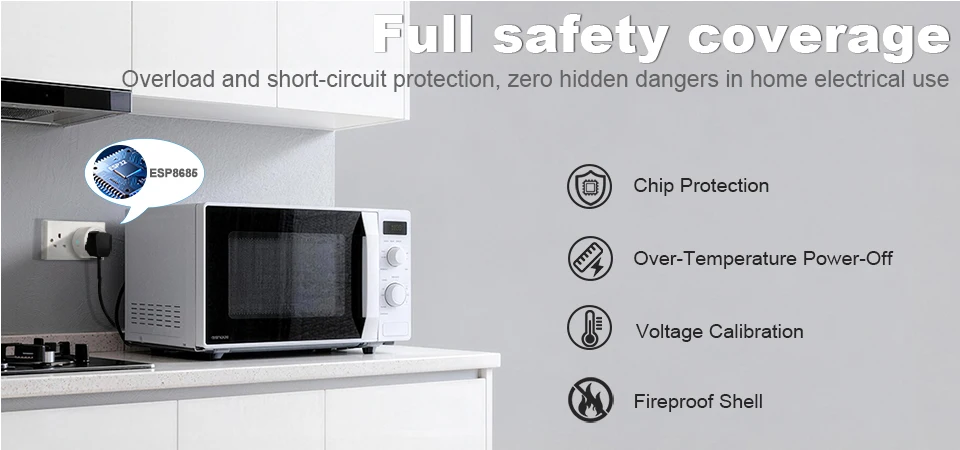
Premium Specifications for Reliable Performance
This smart plug is engineered for durability and safety in your daily life. It features a classic white design crafted from high-quality, flame-retardant PC material, ensuring it blends seamlessly with your wall and lasts. It operates perfectly within a wide voltage range of AC 100-240V at 50/60Hz, making it suitable for use with all your standard home devices. The plug is rated for a high-power output of 16A/20A, handling demanding appliances like heaters, kettles, and air conditioners with ease. It performs reliably in environments with temperatures from -20℃ to +50℃ and humidity under 80%. With a low operational power consumption of less than 1.3W and a standby consumption of only 0.4W per hour, it’s an efficient addition to your home. It comes with dual LED indicators (Red for power, Blue for WiFi status) and is certified with FCC, ROHS, and CE standards, guaranteeing quality and safety.
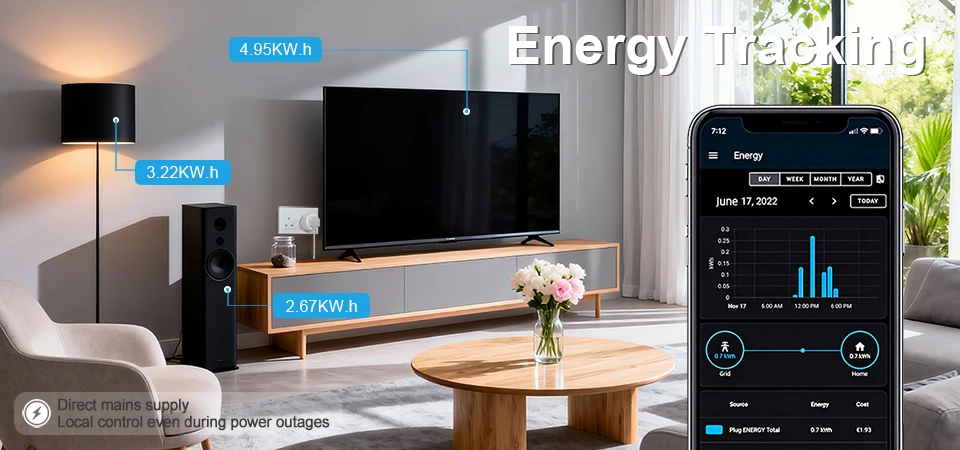
Transform Your Home with Powerful Features
Total Remote Control: Use your smartphone from anywhere in the world to turn devices on or off. No more worrying about forgotten appliances.
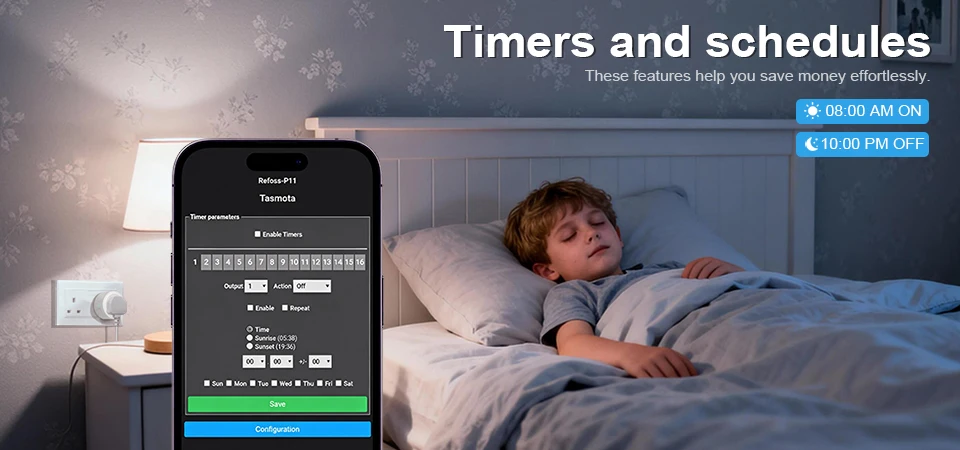
Schedule Your Day: The built-in timer function allows you to set daily or weekly schedules. Automate your coffee maker, lamps, or air purifier to match your routine perfectly.
Convenient Countdown: Need to turn off a fan after you fall asleep or stop a charger after a few hours? Set a countdown from 1 minute to 24 hours for automatic shut-off.
Power-Off Memory: Worried about power outages? The plug automatically remembers and restores its previous on/off state once power is restored.
Real-Time Status Feedback: The app always shows you the current status (On/Off) of your connected device, so you’re never left guessing.
Share Control Easily: Securely share access to the plug with your family members through the app, allowing everyone to manage connected devices.
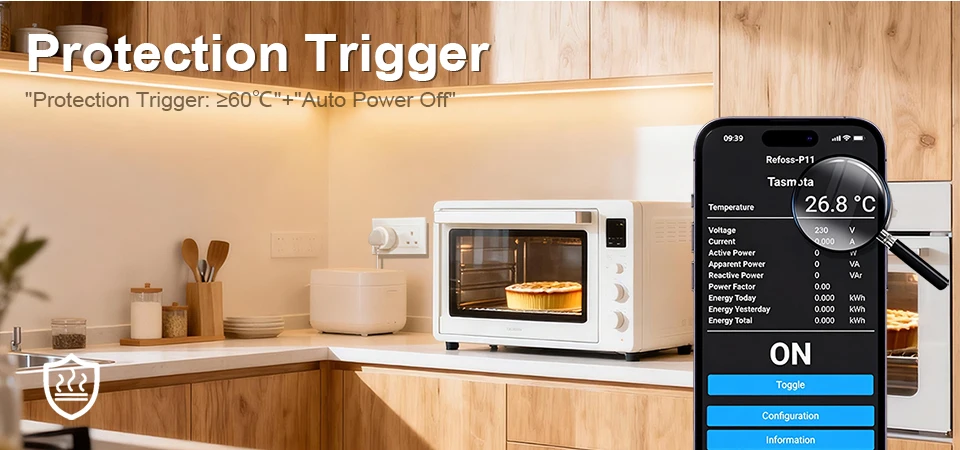
Built-in Safety: Advanced overload protection automatically cuts power if the current exceeds safe limits, protecting both the plug and your valuable appliances.
Manual Override: A physical button on the side lets you control the plug manually, giving you flexibility even without the app.
Group & Bulk Management: Control multiple BSD29 plugs simultaneously. Group plugs by room (e.g., "Living Room Lights") or function for one-tap control of entire scenes.
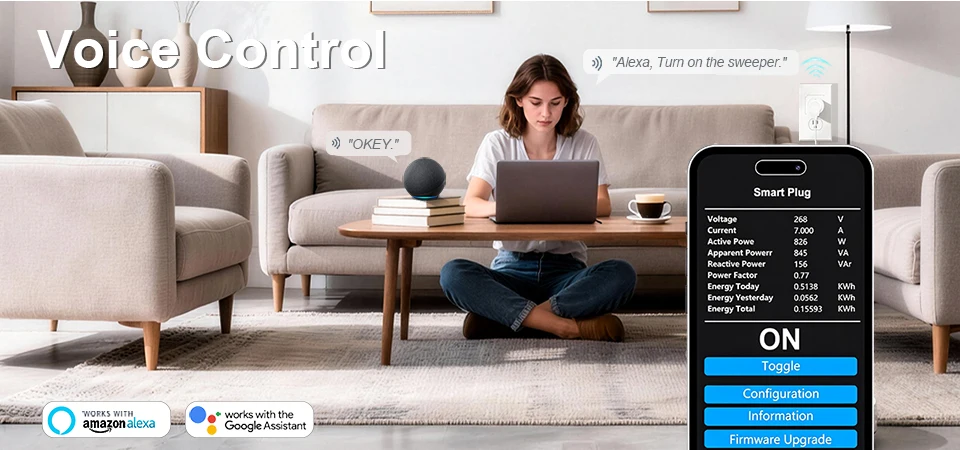
Universal Voice Control: Works seamlessly with Amazon Alexa, Google Assistant, and other major smart home ecosystems. Control your devices with simple voice commands.
Easy Bluetooth Setup: Offers convenient Bluetooth pairing for quick initial network configuration and local control even without WiFi.
Sleep-Friendly Mode (A Key Feature!): The bright LED indicators can be completely disabled via the app. Enjoy a pitch-black room for undisturbed sleep without any annoying lights.
Over-Charge Protection: A dedicated mode helps prevent overcharging your phones, tablets, and other battery-powered devices by cutting power after a set time.
Broad Smart Ecosystem Compatibility: Easily integrates not only with Alexa and Google but also with platforms like Samsung SmartThings, making it a central part of your connected home.
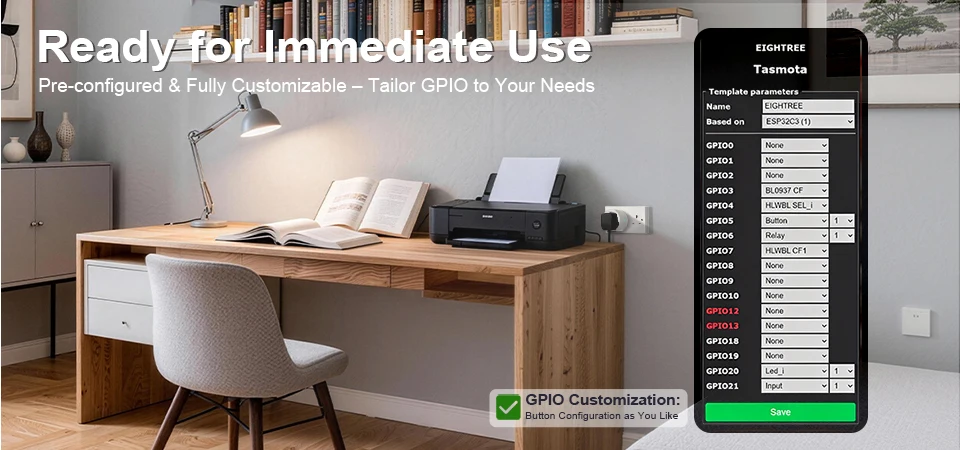
Why Choose the BSD29 Tasmota Smart Plug?
It offers unparalleled local control, deep customization, and privacy. You are not locked into a single cloud service. With its robust 16A/20A rating, UK-specific design, and comprehensive feature set—from energy monitoring to voice control and sleep-friendly dark mode—it provides exceptional value, safety, and convenience for a truly intelligent home.
Tasmota Version: Usage Guide & Important Notes
A Friendly Guide to Your Tasmota Smart Plug
Welcome to the world of Tasmota! Your BSD29 plug comes pre-flashed with this powerful, open-source firmware, giving you superior control and local automation. Here’s what you need to know to get started safely and smoothly.
What is Tasmota?
Tasmota is community-driven, open-source firmware that replaces the manufacturer's original software on smart devices. It prioritizes local network control (minimizing reliance on external clouds), offers extensive customization, and integrates with a wide range of home automation systems like Home Assistant.
Key Benefits of Tasmota:
Local Control: Devices respond faster as commands stay on your home network.
Privacy: Your device data doesn't need to be sent to an unknown cloud server.
No Vendor Lock-in: You are not dependent on a specific app or company's servers that might shut down.
Advanced Features: Access to powerful rules, scripts, and detailed telemetry data.
Crucial Initial Setup & Safety Notes:
DO NOT FACTORY RESET via the Button (Initially): A standard 5-second button press on a Tasmota device typically enables "Smart Config" mode for WiFi setup. It usually does NOT reset it back to the original manufacturer's firmware. If you need to truly re-flash the firmware, a different, more technical process is required.
-
First-Time Connection - Two Main Methods:
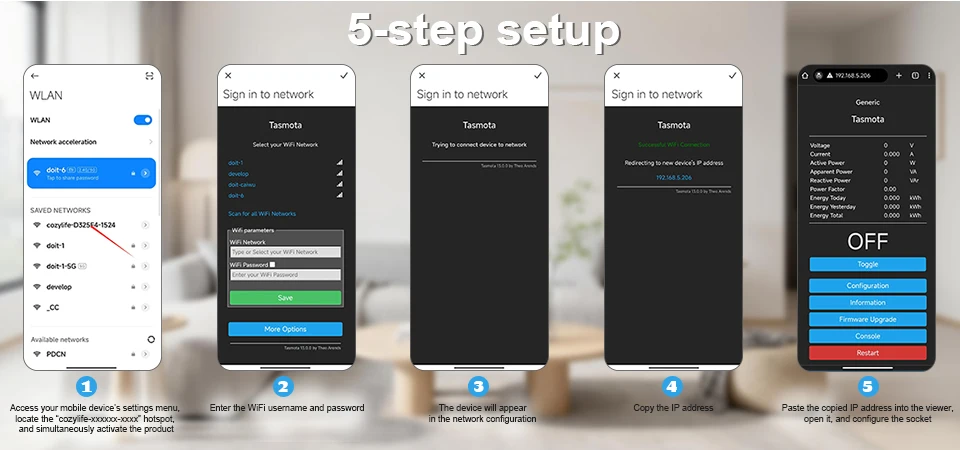
Bluetooth Method (Easiest): Ensure the plug is powered on. Open your phone's Bluetooth settings, find a device named similar to "BSD29" or "Tasmota," and pair with it. Often, a companion app or web interface will then guide you to connect the plug to your home WiFi network.
Access Point (AP) Mode: If Bluetooth isn't available, press and hold the manual button on the plug for about 5 seconds until the LED flashes rapidly. It will create its own WiFi network (e.g., "Tasmota-XXXX"). Connect your phone/computer to this network. A configuration page should automatically open, or you can go to
192.168.4.1in your browser. From there, select your home WiFi name (SSID) and enter the password.
After Connecting to Your WiFi: Once connected, the plug will get an IP address from your router. You need to find this IP address (check your router's admin page or use a network scanner app) to access its main control panel. Then, simply enter that IP address into any web browser on your home network to access the full Tasmota dashboard for control and settings.
-
Using the Web Interface: The Tasmota web console is your command center. You can:
Turn the plug ON/OFF.
Set up timers and rules (using simple commands).
Configure power monitoring (if supported by your model).
Manage module settings and MQTT connections for advanced home automation.
Voice Control Setup: To use with Alexa or Google Assistant, you typically need to use a "bridge" like the Tasmota Integration for Google Home or use a system like Home Assistant. Direct cloud integration is not provided by Tasmota itself, as it focuses on local control.
IMPORTANT SAFETY & USAGE WARNINGS:
-
STRICTLY Observe Power Limits: This plug is rated for 16A or 20A MAX. NEVER exceed this rating. Do not connect appliances whose total power consumption exceeds:
For 16A: ~3680W at 230V (UK Voltage).
For 20A: ~4600W at 230V.
Connecting overloaded devices is a serious fire hazard.
Water & Heat Warning: This is an indoor device. Keep it away from water, moisture, and direct heat sources. Do not use in bathrooms or outdoors unless installed in a properly rated outdoor enclosure.
Technical Responsibility: Using Tasmota requires a basic comfort level with network settings (like finding IP addresses). We provide the device with Tasmota installed, but detailed configuration support is beyond standard seller technical support and is best found in the dedicated Tasmota community forums and documentation online.
Compatibility: Ensure your home WiFi network is on a 2.4GHz band, as most smart plugs (including this one) do not support 5GHz networks.
Details
This product is crafted with quality materials to ensure durability and performance. Designed with your convenience in mind, it seamlessly fits into your everyday life.
Shipping & Returns
We strive to process and ship all orders in a timely manner, working diligently to ensure that your items are on their way to you as soon as possible.
We are committed to ensuring a positive shopping experience for all our customers. If for any reason you wish to return an item, we invite you to reach out to our team for assistance, and we will evaluate every return request with care and consideration.
Shop The Full Collection


